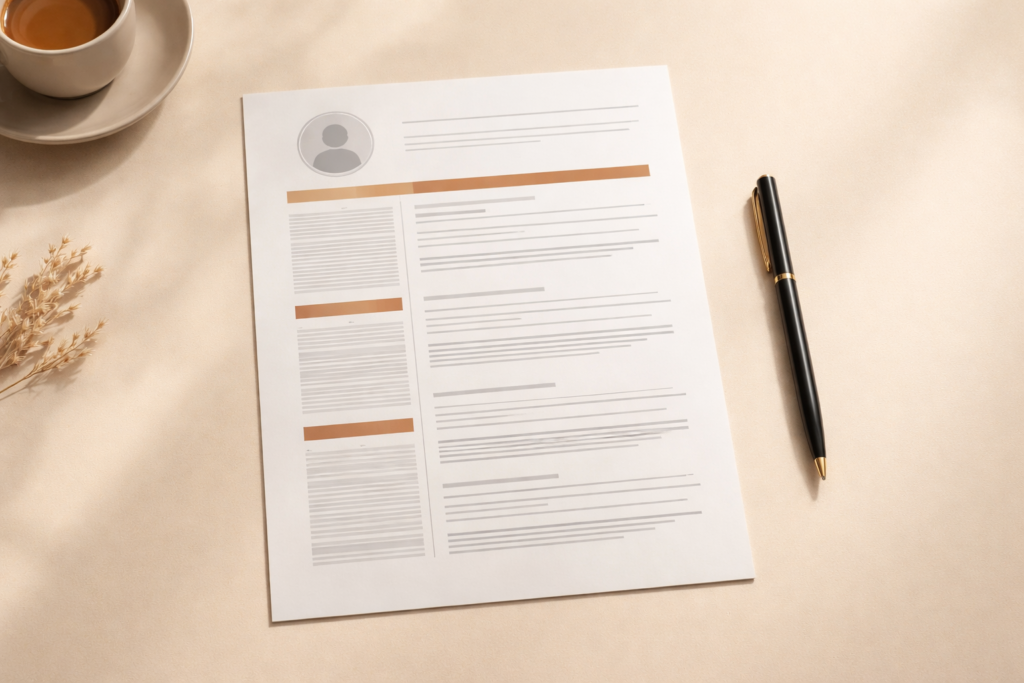

- What Is a Resume (and What It Is Not)
- Before You Write a Single Word
- Step 1: Choose the Right Resume Format
- Step 2: Write Your Contact Information
- Step 3: Write a Resume Summary That Gets Read
- Step 4: List Your Work Experience
- Step 5: Build Your Skills Section
- Step 6: Add Your Education
- Step 7: Optional Sections Worth Adding
- Step 8: Make It ATS-Friendly
- Step 9: Avoid These Common Mistakes
- Final Check Before You Submit
- One More Step: Check Your Resume Against ATS Right Now
- Frequently Asked Questions
Most people treat a resume like a document. Recruiters treat it like a 6-second first impression.
Research consistently shows that hiring managers spend an average of six seconds scanning a resume before deciding whether to read further. Six seconds. That is less time than it takes to read this sentence out loud.
So the question is not just “what should I put on my resume?” The real question is: what does a recruiter need to see in those first six seconds to keep reading?
This guide answers that. We will walk through every section of a resume, in order, with real examples and honest advice on what actually works in 2026.
What Is a Resume (and What It Is Not)
A resume is a one or two page document that summarizes your work experience, skills, and education for a specific job application. That is the technical definition.
But here is what most resume guides do not tell you: a resume is not a record of everything you have ever done. It is a curated argument for why you are the right person for one specific role.
Every line on your resume should answer the same silent question the recruiter is asking: “So what does this mean for me as the hiring manager?”
The second you understand that, everything about how to write a resume becomes clearer.
Before You Write a Single Word
The biggest mistake people make is opening a blank document and starting to type. Before you write anything, do these three things:
1. Read the job description carefully. Print it out if you have to. Underline every skill, qualification, and responsibility mentioned. These are your keywords, and your resume needs to reflect them back.
2. Make a master list of everything. Every job, every achievement, every skill, every project, every certification. Do not filter yet. Just get it all in one place.
3. Match your master list to the job description. What overlaps? That overlap is the core of your resume. Everything else is supporting material or gets cut entirely.
This preparation step saves hours of rewriting later and produces a resume that feels targeted rather than generic.
Step 1: Choose the Right Resume Format
There are three resume formats used by job seekers today. Choosing the wrong one can hurt you even if your content is strong.
Reverse Chronological (Most Common)
Lists your most recent job first and works backwards. This is what recruiters expect. Use this if you have a consistent work history in the same field and no major gaps.
Best for: Most job seekers, especially those with 2+ years of experience in the same industry.
Functional (Skills-Based)
Leads with a skills section rather than work history. Often recommended for career changers or people with employment gaps, but use it with caution. Many recruiters are suspicious of functional resumes because they often hide a thin work history. Applicant Tracking Systems also struggle to parse them correctly.
Best for: People returning to work after a long break, or making a significant industry switch.
Combination (Hybrid)
Opens with a strong skills summary, then follows with a traditional reverse-chronological work history. Gets the best of both formats without the downsides of a purely functional approach.
Best for: Career changers who still have relevant experience to show, or senior professionals with diverse skills.
For most people reading this guide, reverse chronological is the right choice. When in doubt, use it.
For a deeper look at layout, fonts, spacing, and design rules, read our complete resume layout and format guide.
Step 2: Write Your Contact Information
This section sounds trivial. It is not. A resume with a typo in the email address goes nowhere, no matter how good the rest of it is.
Your contact section should include:
- Your full name (larger font, top of the page)
- A professional email address (firstname.lastname@gmail.com, not nicknames)
- Phone number with area code
- City and state only (never your full street address)
- LinkedIn profile URL (customized, not the default random string)
- Portfolio or personal website if relevant to the role
What to leave out: Date of birth, photo, marital status, nationality. These are not just unnecessary, they can expose a recruiter to legal risk and some will discard your resume simply to avoid that.
See our resume header guide for formatting examples and what to do if you are a remote worker applying across states.
Step 3: Write a Resume Summary That Gets Read
Your resume summary sits at the top, just below your contact information. It is two to four sentences that tell a recruiter exactly who you are and what you bring. Think of it as your opening argument.
Most summaries are terrible. They sound like this:
“Hardworking and motivated professional with excellent communication skills seeking a challenging role in a dynamic organization.”
That sentence says absolutely nothing. Every recruiter has read it a thousand times. It gets skipped.
A good summary is specific, confident, and targeted to the role. Here is an example for a marketing manager position:
“Results-driven marketing manager with 6 years of experience leading B2B campaigns across SaaS and fintech. Grew organic traffic by 180% at my previous company through content and SEO strategy. Now looking to bring that same approach to a product-led growth team.”
Notice what makes it work: a specific number (180%), a specific context (B2B, SaaS, fintech), and a clear signal of intent. That recruiter knows immediately whether this person fits.
The formula for a strong summary:
- [Your title/role] with [X years] of experience in [specific field or industry]
- [Your biggest, most relevant achievement with a number if possible]
- [What you are looking to do next, aligned to this specific role]
Write your summary last, after you have finished the rest of the resume. It is much easier to summarize something that already exists.
Step 4: List Your Work Experience
This is the section that either gets you an interview or gets your resume closed. Everything here comes down to one principle: show results, not responsibilities.
For each job, include:
- Job title
- Company name and location
- Dates of employment (month and year)
- Three to six bullet points describing what you accomplished
The Bullet Point Problem
Most resume bullet points describe what a person was supposed to do, not what they actually did. That is the difference between a job description and a resume achievement.
Weak bullet point (duty-based):
“Responsible for managing social media accounts for the company.”
Strong bullet point (achievement-based):
“Grew Instagram following from 4,200 to 31,000 in 14 months by launching a weekly video series, increasing average post reach by 340%.”
The second version tells a recruiter something the first one never could: that this person actually delivered results. They can picture the impact.
The Formula for Achievement Bullets
Use this structure for every bullet point you write:
[Action verb] + [what you did] + [the result, ideally with a number]
Examples:
- Reduced customer onboarding time by 3 weeks by building a self-serve knowledge base used by 2,400 active clients
- Managed a $1.2M annual procurement budget, achieving 8% cost savings through vendor renegotiations
- Trained and mentored a team of 7 junior sales reps, 4 of whom were promoted within 18 months
If you do not have exact numbers, use ranges or percentages based on your best honest estimate. “Reduced processing time by approximately 30%” is still far stronger than “helped improve efficiency.”
How Far Back Should You Go?
For most professionals, the last 10 to 15 years is enough. Older roles can be listed without bullet points if they are relevant, or dropped entirely if they are not. Nobody needs to know you worked retail in 2004 if you are applying for a senior engineering role today.
If you are early in your career and do not have much formal work history, include internships, freelance projects, volunteer work, and relevant academic projects. Gap-filling strategies are covered in more detail below.
For a full breakdown of what kills most resumes at the review stage, see our guide to the most common resume mistakes and how to fix them.
Step 5: Build Your Skills Section
The skills section serves two audiences simultaneously: the human recruiter who scans it for familiar terms, and the ATS software that searches for keyword matches.
Structure it simply:
- Technical Skills: Software, platforms, tools, programming languages, certifications
- Industry Skills: Domain-specific knowledge (SEO, financial modeling, surgical techniques, etc.)
- Soft Skills: Use these sparingly and only if they are genuinely demonstrated elsewhere in your resume
A good skills section for a data analyst might look like:
Technical: Python, SQL, Tableau, Excel (advanced), Google Analytics, BigQuery
Methods: A/B Testing, Cohort Analysis, Regression Modeling, ETL Pipelines
Tools: Jira, dbt, Looker, Airflow
What to avoid: Listing generic soft skills like “team player,” “hard worker,” or “good communicator” as standalone items. These mean nothing without context. If you want to demonstrate communication skills, show it through a bullet point in your work experience instead.
To understand exactly which keywords ATS systems look for and how to include them naturally, read our ATS optimization guide.
Step 6: Add Your Education
For most professionals with more than two or three years of experience, education sits near the bottom of the resume. For recent graduates with limited work history, it moves toward the top.
For each degree, include:
- Degree type and major (Bachelor of Science in Computer Science)
- University name and location
- Graduation year (if within the last 5 years)
- GPA only if it is above 3.5 and you graduated recently
- Relevant coursework, honors, or academic projects if they add value
Should you include high school? Only if you did not attend college. Once you have a degree, your high school diploma is implied and takes up space that could be used for something stronger.
What about online courses and certifications? Absolutely include them, but in a separate “Certifications” section rather than mixing them with your formal education. A Google Analytics certification or AWS certificate is legitimate and valuable. It just belongs in its own category.
Step 7: Optional Sections Worth Adding
These sections will not appear on every resume, but the right one in the right context can be the detail that sets you apart.
Certifications: Always worth including if relevant. PMP, CPA, SHRM, AWS, Google, HubSpot. List the certification name, issuing organization, and expiry date if applicable.
Projects: Valuable for developers, designers, marketers, and anyone whose best work lives outside a traditional job. Include a one-line description and a link to the live project or GitHub repo.
Volunteer Work: Especially useful if you have a career gap or are early in your career. Treat volunteer roles exactly like paid positions: job title, organization, dates, and achievement bullet points.
Publications or Speaking: If you have written industry articles, been quoted in press, or spoken at conferences, list them. Even one or two credible mentions build authority fast.
Languages: Include if you are genuinely conversational or fluent. Specify your proficiency level honestly. Native, fluent, professional working proficiency, or conversational are the accepted standards.
Step 8: Make It ATS-Friendly
Over 98% of Fortune 500 companies and the majority of mid-sized businesses now use Applicant Tracking Systems to filter resumes before a human ever reads them. A resume that looks beautiful in a PDF viewer may be completely unreadable to an ATS.
Here are the most important ATS rules to follow:
- Use standard section headings. “Work Experience” not “Where I Have Been.” “Education” not “My Academic Journey.” ATS software looks for exact or near-exact matches.
- Avoid tables, columns, headers, and footers. Many ATS systems cannot read text placed inside these elements. What looks like a clean two-column layout to you may appear as scrambled nonsense to the software.
- Use standard fonts. Arial, Calibri, Times New Roman, Garamond. Unusual fonts sometimes fail to render and make your text unreadable.
- Save as .docx unless told otherwise. PDF formatting can break ATS parsing depending on how the PDF was created. When in doubt, submit both and ask which is preferred.
- Mirror keywords from the job description. If the job posting says “project management” and you write “project leadership,” ATS may not match them. Use the exact phrasing from the job description where it honestly applies to your experience.
The fastest way to know if your resume will pass ATS screening is to test it. Use our free AI resume checker to get an instant ATS compatibility score, keyword gap analysis, and your single most impactful fix. No sign-up required.
Step 9: Avoid These Common Mistakes
Even strong candidates get rejected because of avoidable errors. These are the ones that appear most often.
Using one resume for every job. Generic resumes perform worse than targeted ones in every study ever done on the topic. Tailor at minimum your summary and skills section for each application.
Including a photo. In the US, UK, Canada, and Australia, photos on resumes are not standard and can actually create legal complications for the employer. Leave it off.
Writing in first person. Resume bullet points do not use “I.” Instead of “I managed a team of 8,” write “Managed a team of 8.” It reads cleaner and is the accepted professional convention.
Lying about skills or experience. It is far more common to get caught than most people think. Background checks, technical interviews, and reference calls surface inconsistencies quickly. Overstating is fine. Fabricating is not.
Sending a PDF with a creative file name. Name your file FirstName-LastName-Resume.pdf. Not “my_resume_FINAL_v3_updated.pdf.” Recruiters open dozens of files at once and yours should be easy to find.
Using a resume template with text boxes. Canva resumes look great on screen. They often become completely illegible when parsed by an ATS. Beautiful formatting is worthless if the software cannot read your content.
We cover 15 more mistakes job seekers make in our dedicated common resume mistakes guide, including examples of what good versus bad looks like side by side.
Final Check Before You Submit
Before you hit send, go through this checklist:
- Is your contact email correct? Read it character by character.
- Did you remove the objective statement and replace it with a targeted summary?
- Does every bullet point start with a strong action verb?
- Have you quantified at least half of your achievements with numbers?
- Is the document one page (under 5 years experience) or a maximum of two pages?
- Did you run spellcheck and then read it again manually? Spellcheck misses correctly spelled wrong words.
- Have you tailored your skills section to match keywords in the job description?
- Is the file named correctly? (FirstName-LastName-Resume.pdf)
- Did you check it on a phone screen? Recruiters increasingly review resumes on mobile.
One More Step: Check Your Resume Against ATS Right Now
You have put in the work. Before you submit, find out exactly how your resume scores against ATS criteria, what keywords you are missing, and what your single biggest improvement should be.
Our free AI Resume Checker gives you an instant score across six categories including ATS compatibility, work experience impact, and skills relevance. Upload your PDF, Word doc, or plain text file and get results in under 30 seconds. No account needed, no credit card, completely free.
If you are starting from scratch, we also have a collection of free ATS-friendly resume templates you can download and customize today.
Frequently Asked Questions
How long should a resume be?
One page if you have less than 5 years of experience. Two pages is acceptable for most professionals. Three or more pages is only appropriate for academic CVs or extremely senior executive roles. When in doubt, cut it down. No recruiter has ever complained that a resume was too concise.
Should a resume be one page?
For most job seekers with under 10 years of experience, yes. The one-page rule exists because recruiters scan resumes quickly, and every additional page dilutes the strength of your most relevant information. That said, forcing 15 years of meaningful experience onto one page by shrinking the font to 9pt does more harm than a clean two-page document would.
What is the difference between a resume and a CV?
In the US, a CV (curriculum vitae) is used almost exclusively in academic, research, and medical contexts. It is comprehensive, often 5 to 10 pages, and includes publications, research, teaching experience, and conference presentations. A resume is a concise professional summary. In many other countries, CV and resume are used interchangeably to mean the same thing.
Should I include references on my resume?
No. The phrase “References available upon request” is outdated and takes up space you need. Employers know they can ask for references. Have a separate reference sheet ready to provide when asked, but keep it off your resume entirely.
How do I write a resume with no experience?
Focus on transferable skills from coursework, volunteer work, extracurricular activities, and personal projects. Lead with education if you are a recent graduate. A strong summary that clearly communicates your skills and enthusiasm can compensate significantly for a thin work history. We have a dedicated guide on writing a resume with no experience coming soon.